Memorizun Class. Classroom mode for teachers
A teacher assigns a poem to memorize. A student opens a link and starts — no account required.
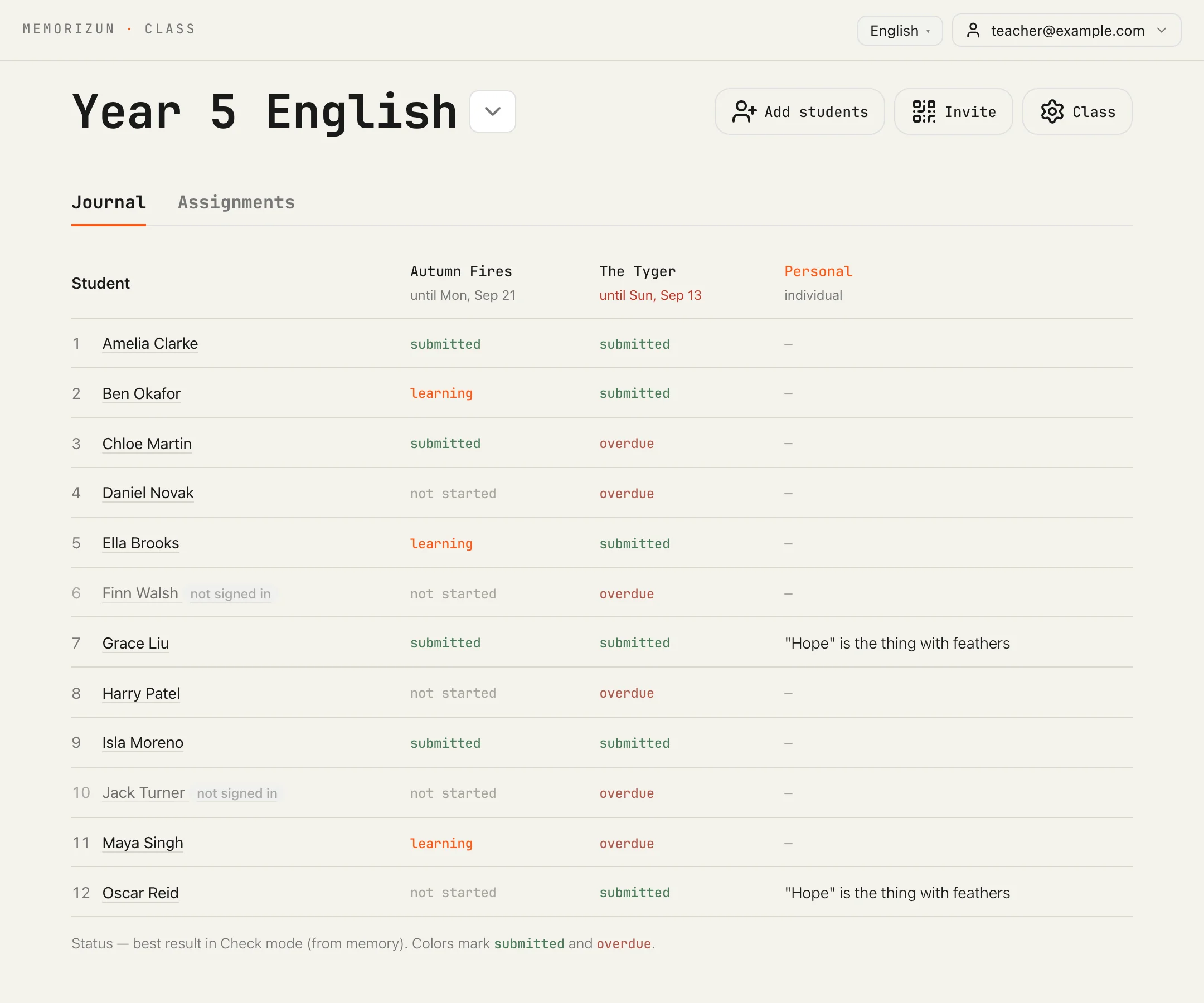
Memorizun Class is a classroom mode built into the same app. A teacher creates a class, invites students, and hands out a poem, a passage, a rule, or a definition to memorize. A student opens their link and starts — no account, no app download, no sign-up form.
Everything a student does still runs through the same trainer as regular Memorizun: hide the words, recall them, recite the whole thing out loud, and the app checks you. Class wraps a journal and a deadline around that.
The roster fills itself in
This is the whole thing a teacher looks at: a row per student, a column per poem, and the state of every cell. Nobody fills any of it in by hand. A student's status against an assignment comes straight from the same voice check the rest of the app uses: not started until they first press Speak in Fill, Recall or Check, learning after that, and submitted only once they've recited the whole thing without revealing a single word by tapping. A status never goes back. The roster is really just that number, per student, per poem.

Invite by list
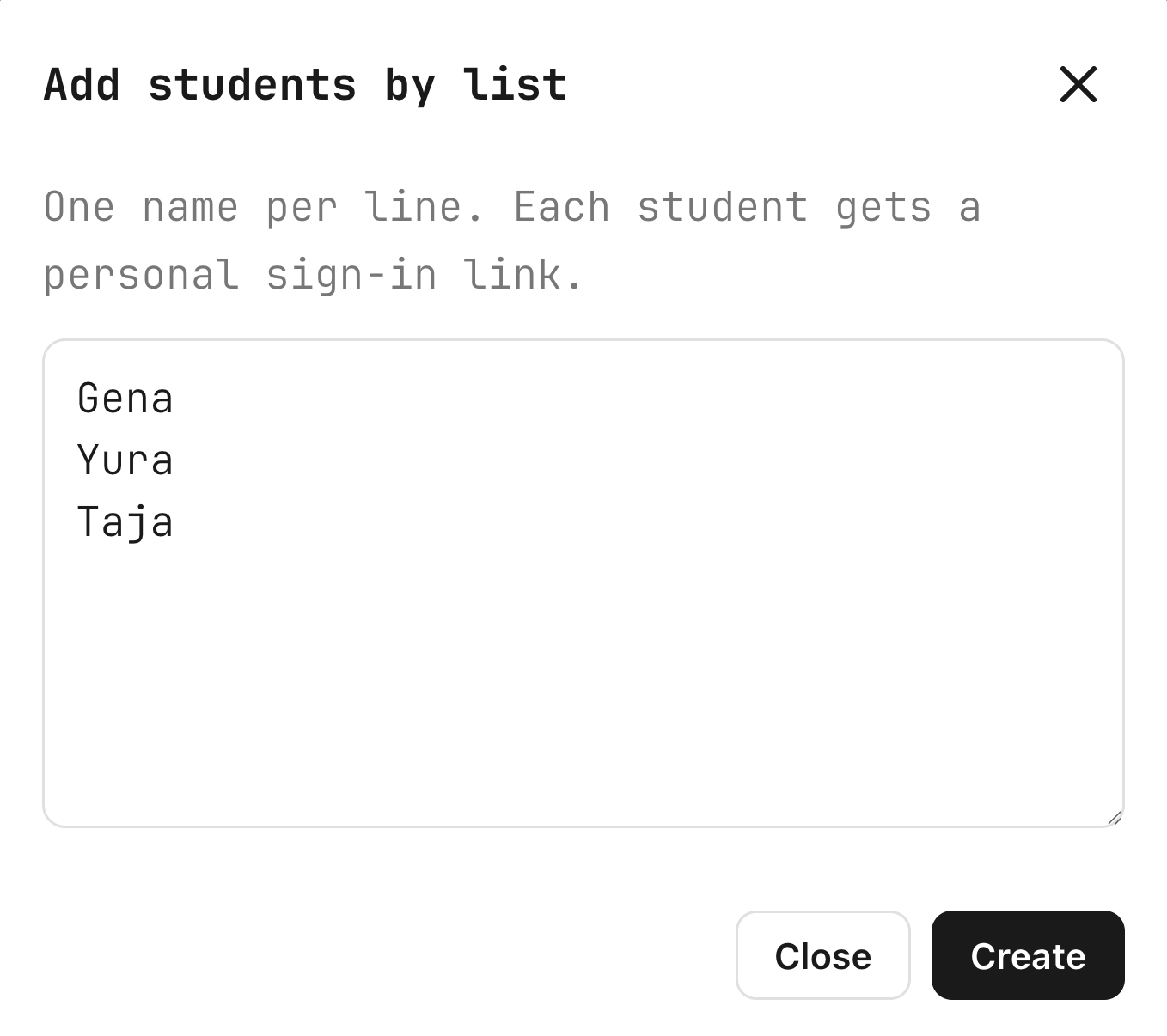
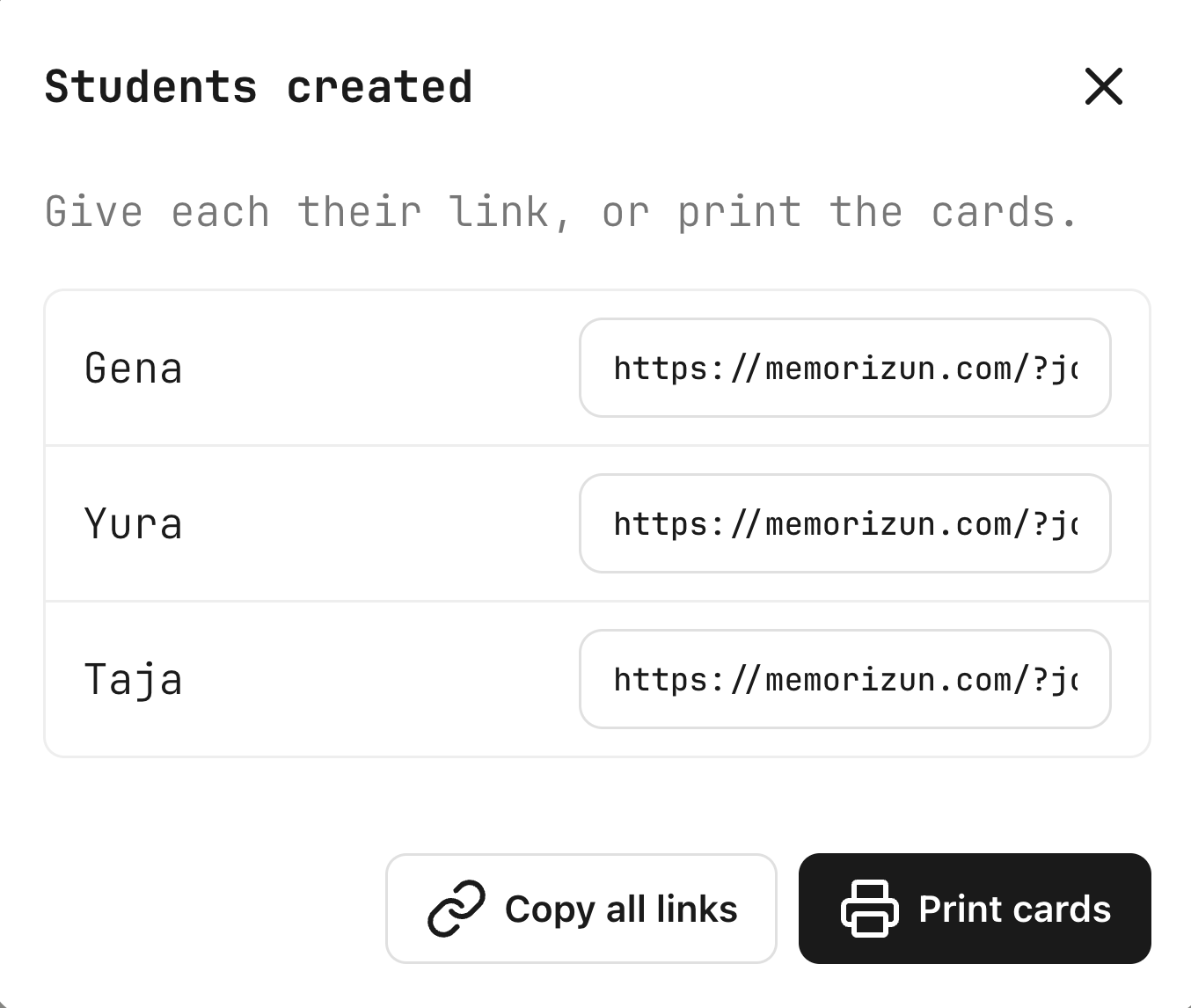
A teacher types names, one per line — no emails, no student accounts to set up beforehand. Memorizun generates a personal join link for each name on the spot.
Those links print as a page of QR cards, one per student — a practical answer for a room where handing a typed URL to twenty kids isn't realistic. Scan the code or open the link, and you're in as that student.


Handing out a poem
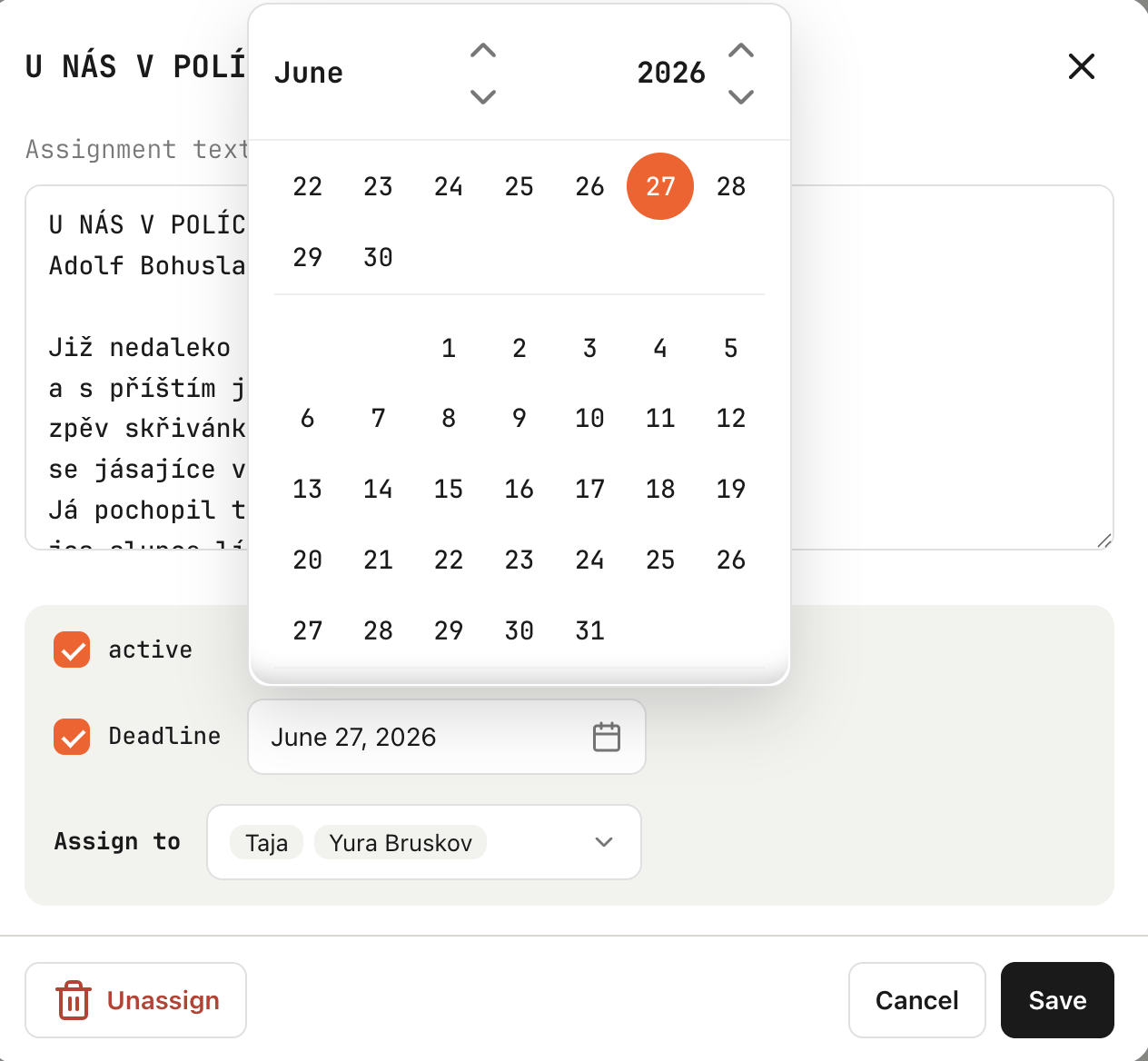
A new assignment can come from three places: type it fresh, pull it from the teacher's own saved texts, or pick a poem from the built-in library of 76,000 poems in Russian, English, Czech and German. Tick a deadline if you want one, give it to the whole class or to chosen students, and it's live.
A student's identity is the link, not an account.
No registration, just a link
A personal link from the teacher signs the student straight in, on any device, with no password. A shared class link asks for a name first, and that name is a label for the journal, not a login.
A student who is already signed in to Memorizun still types their name when they follow a class link, and the class joins under their account. Either way in, assignments show up as a Class group above the student's own texts. An assignment opens read-only: it's the teacher's text, not something a student can edit, but every practice mode — read, fill, recall, check, emoji — works exactly like it does for anything else in the app.
More projects