Google Ara Concept
Modular smartphone UI concept — configuring every component from dimensions and OS to modules and accessories.
Overview
Google Ara is a phone, the filling of which a person can choose for himself. For example, the CPU, RAM, battery, and even the shape of the phone. To solve the problem of assembly, this concept was created.
During the process, a question came up: does the policy allow selling a phone with 15 modules out of 20? After all, even without five modules the phone might still function... In my version, completing all required core modules is mandatory.
Dimensions & Form Factor
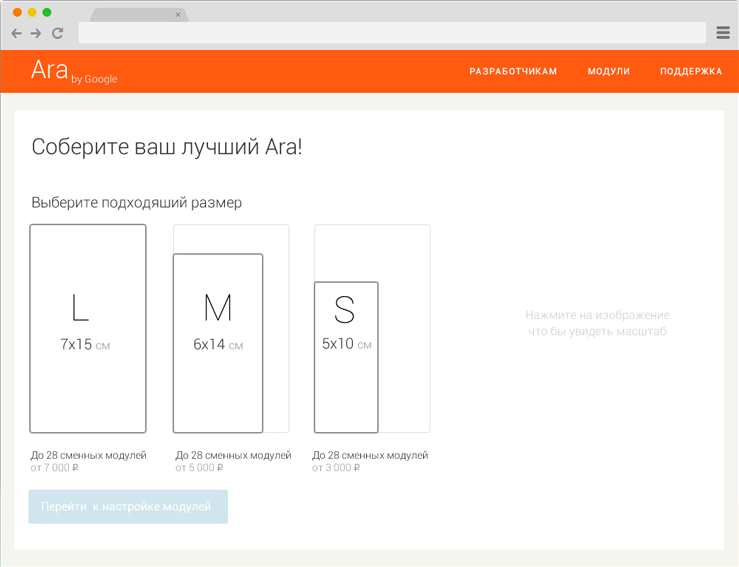
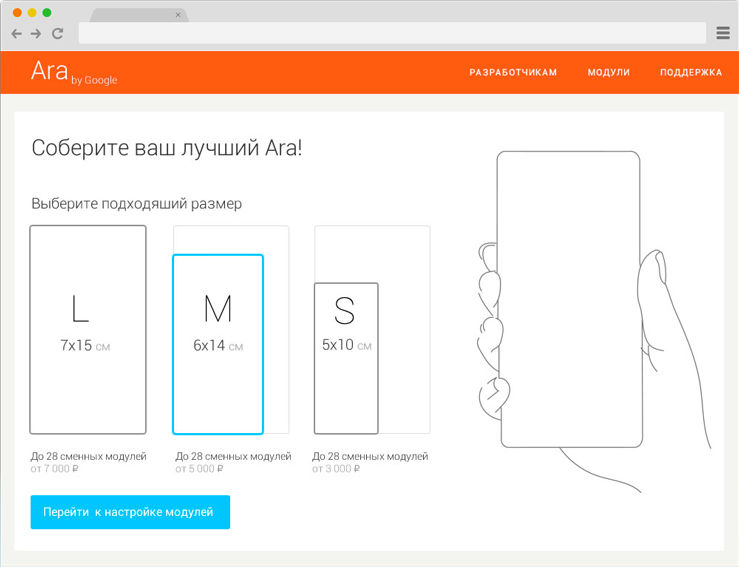
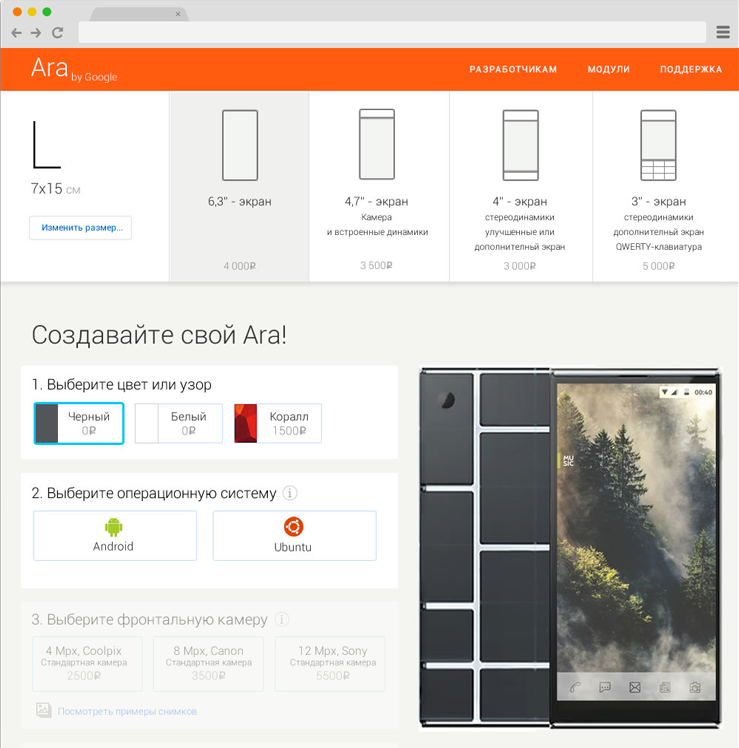
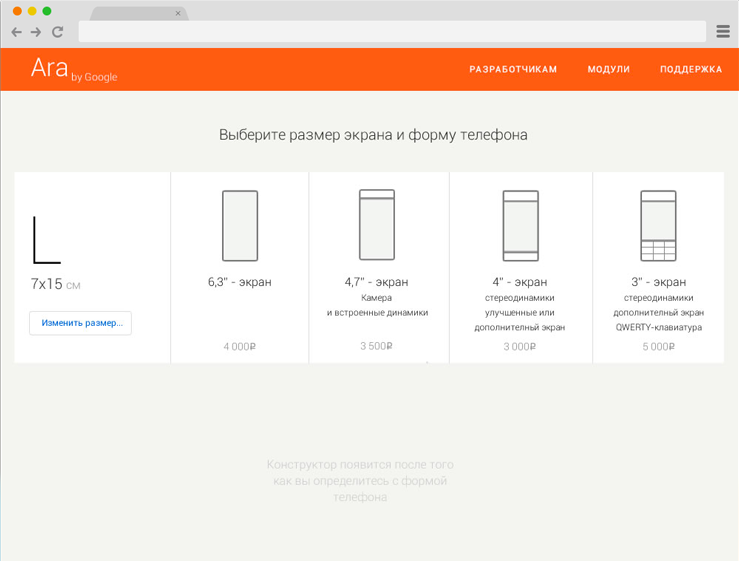
The first step to the creation of the phone is the choice of its dimensions.
For better orientation in scale, with each dimension appears a schematic illustration of how the phone feels in your hand. Next, determine the form factor...
Prototype in Motion
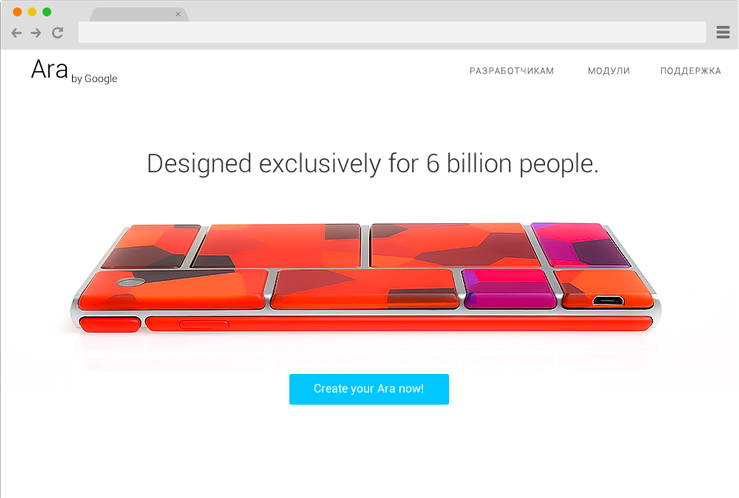
In the dynamics of the first steps look something like this:
Constructor & Module Configuration
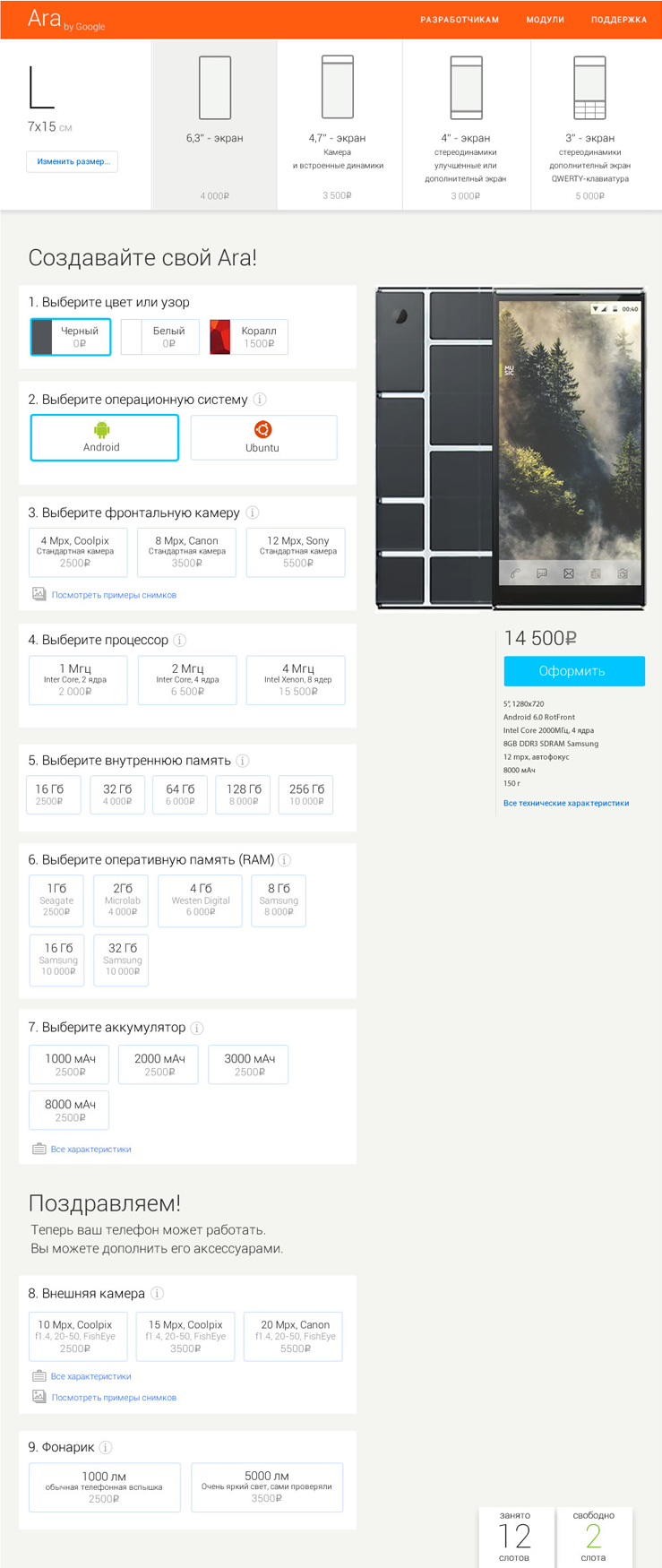
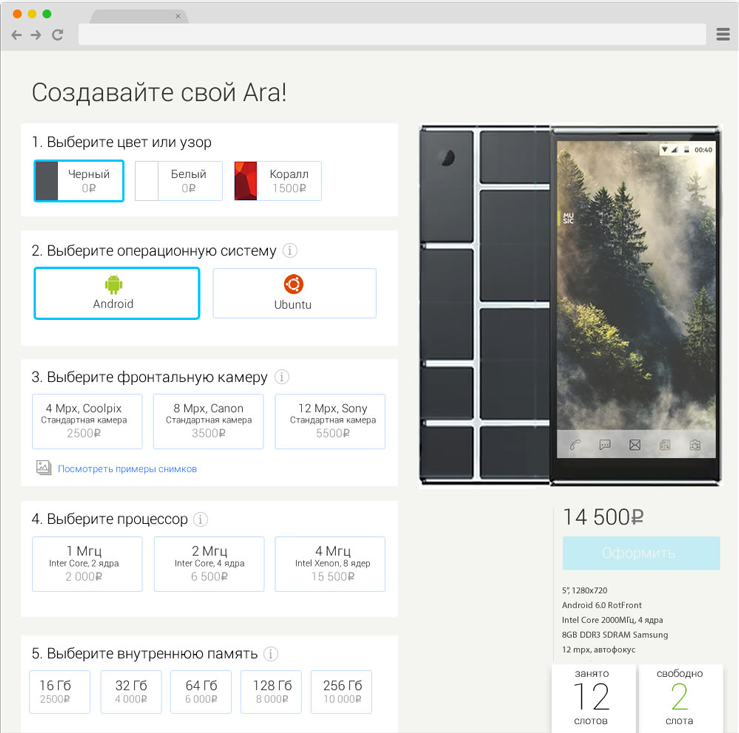
The screen designer. You can quickly change the shape or size of the phone. Choosing the first two options (color and OS) determines the composition of subsequent options, which explains why they are locked until confirmed.
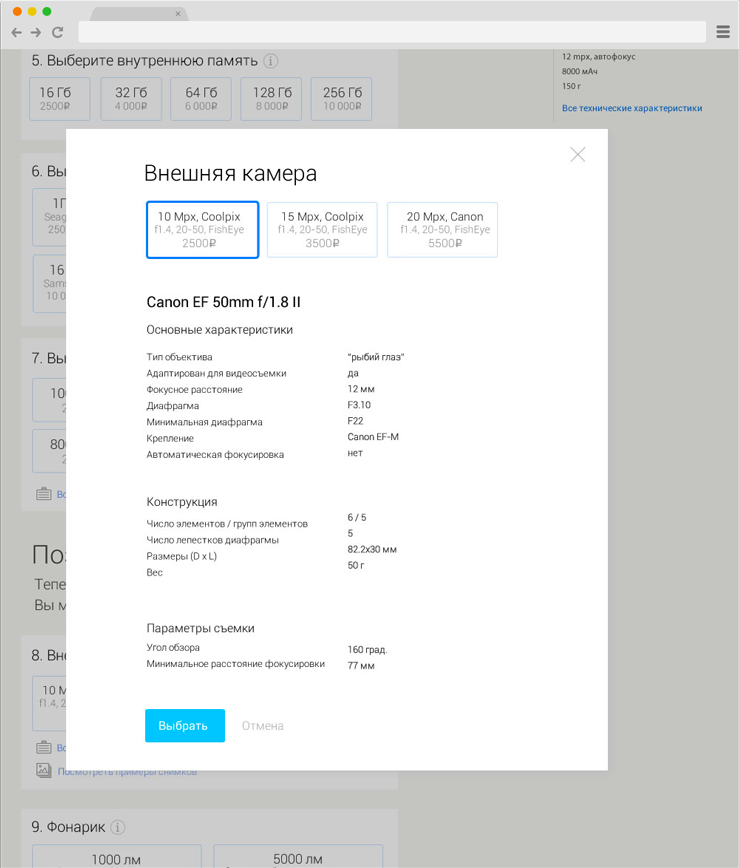
On the screen there is an informer showing the amount of free and occupied slots. Help topics are available for each of the modules, and clicking “All features” displays full technical specifications.
Accessories
When the choice of core modules is completed and the phone can work, the person is given the opportunity to provide it with accessories.
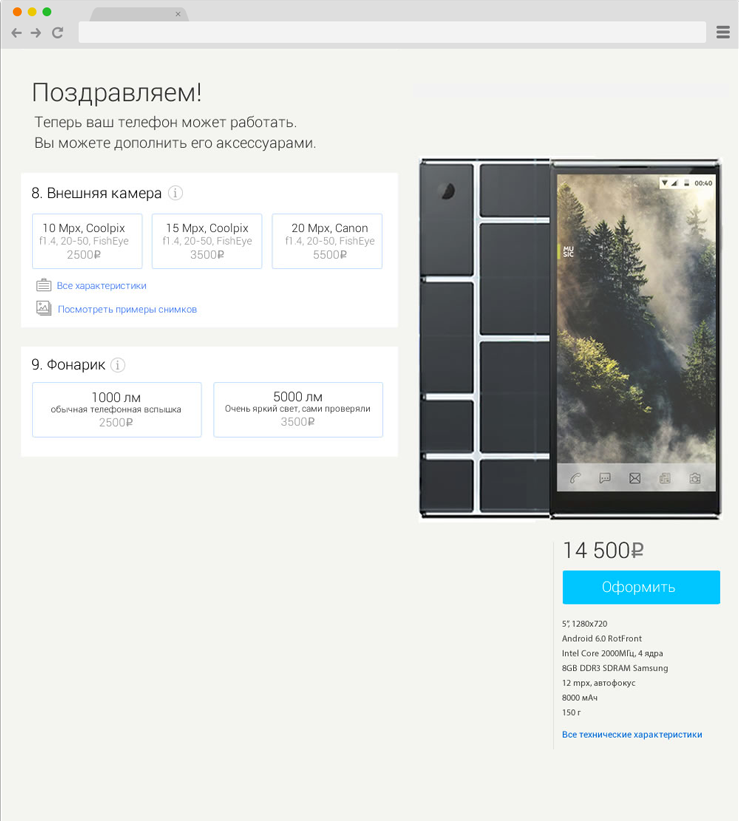
Full Page View
The designer page entirely.