Type a task. Claude breaks it into steps you can run hands-free.
Helpun turns whatever you type, a recipe, a house chore, an errand list, into a short plan with real time estimates. Start it, and your hands stay on the job while your voice moves you along.

One take in the iOS Simulator, uncut: a suggested task is tapped, the request goes out, and about nine seconds later the plan comes back. The tap comes from a UI test in _tools/helpun/ios, everything on the screen is the app's own, and the credit counter drops from 3 to 2 because a plan costs one.
Claude writes the plan.
Type anything: "Prepare for an interview", "Pack for a weekend trip", "Bake sourdough bread". Claude Haiku 4.5 turns it into a short, logical sequence of steps, each with its own time estimate.
Only the task reaches Claude. The message that leaves the phone is one line: "Now process this user task: Clean my room quickly". Nothing about you, the device, or anything you typed before rides along with it. That line is the entire user content of the request.
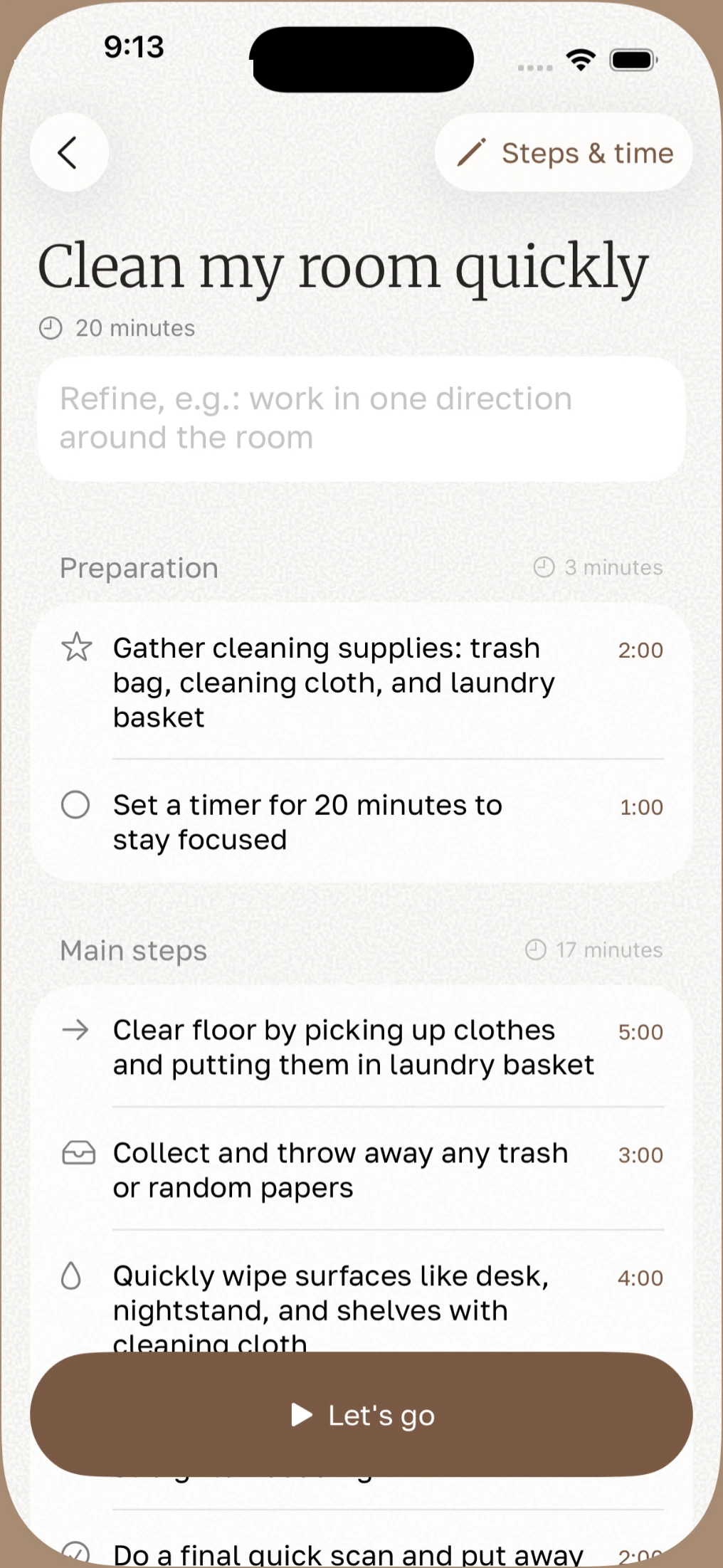
Say next. Finish to the confetti.
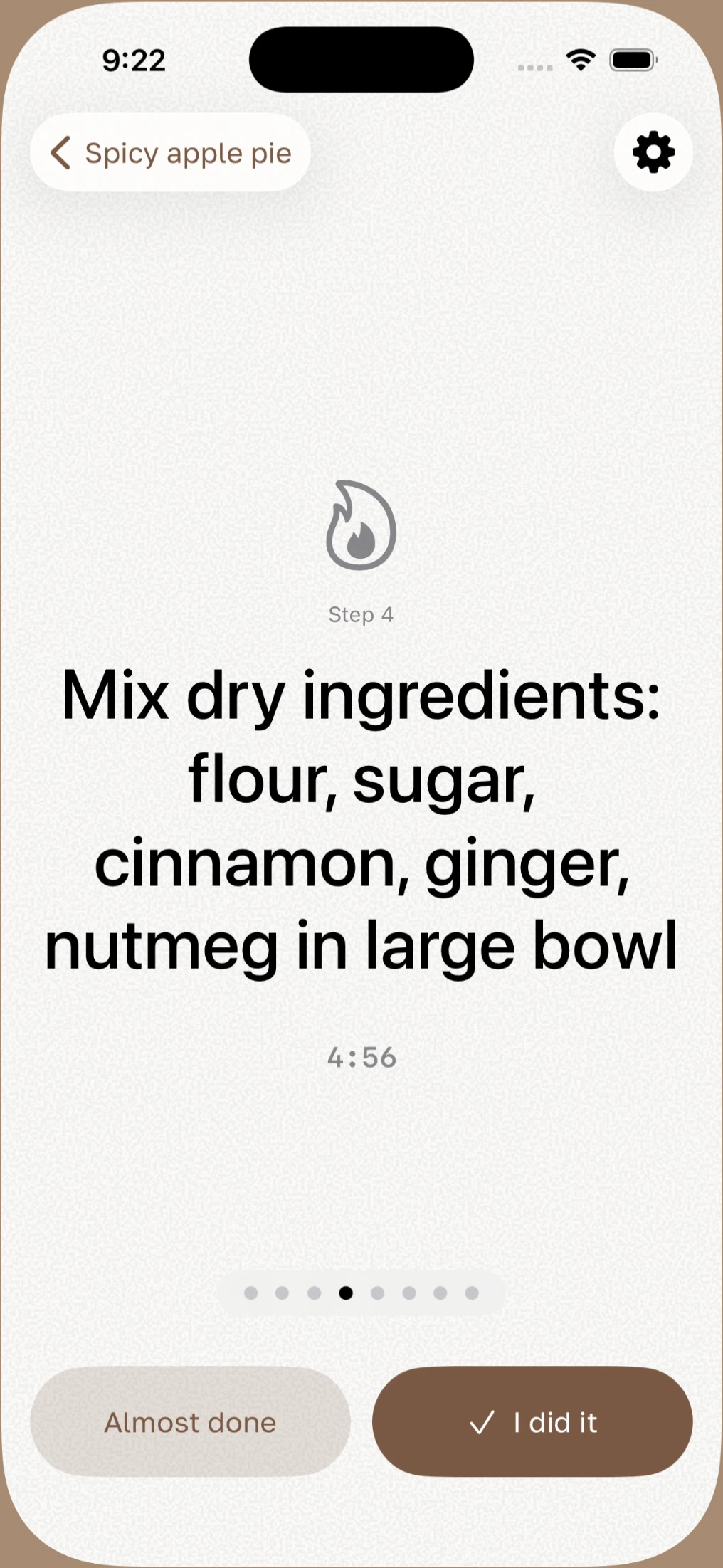
Once a plan starts, one step shows at a time. Say "next" or "previous" and Helpun moves on without a tap, so flour, a wrench or a stroller handle stay exactly where they were. The last step turns the button into Finish.
What iOS actually asks you for. The microphone permission prompt reads, word for word: "Voice navigation to flip through task steps." That line is the entire reason the app wants it.
Press it. This is the app's own finish shower, six colours falling for 1.6 seconds at 30 pieces a second, ported out of Confetti.swift with its numbers intact. Marking a single step gives you two or three specks instead, which is why they are not worth a button of their own.
Two more things it does on its own.
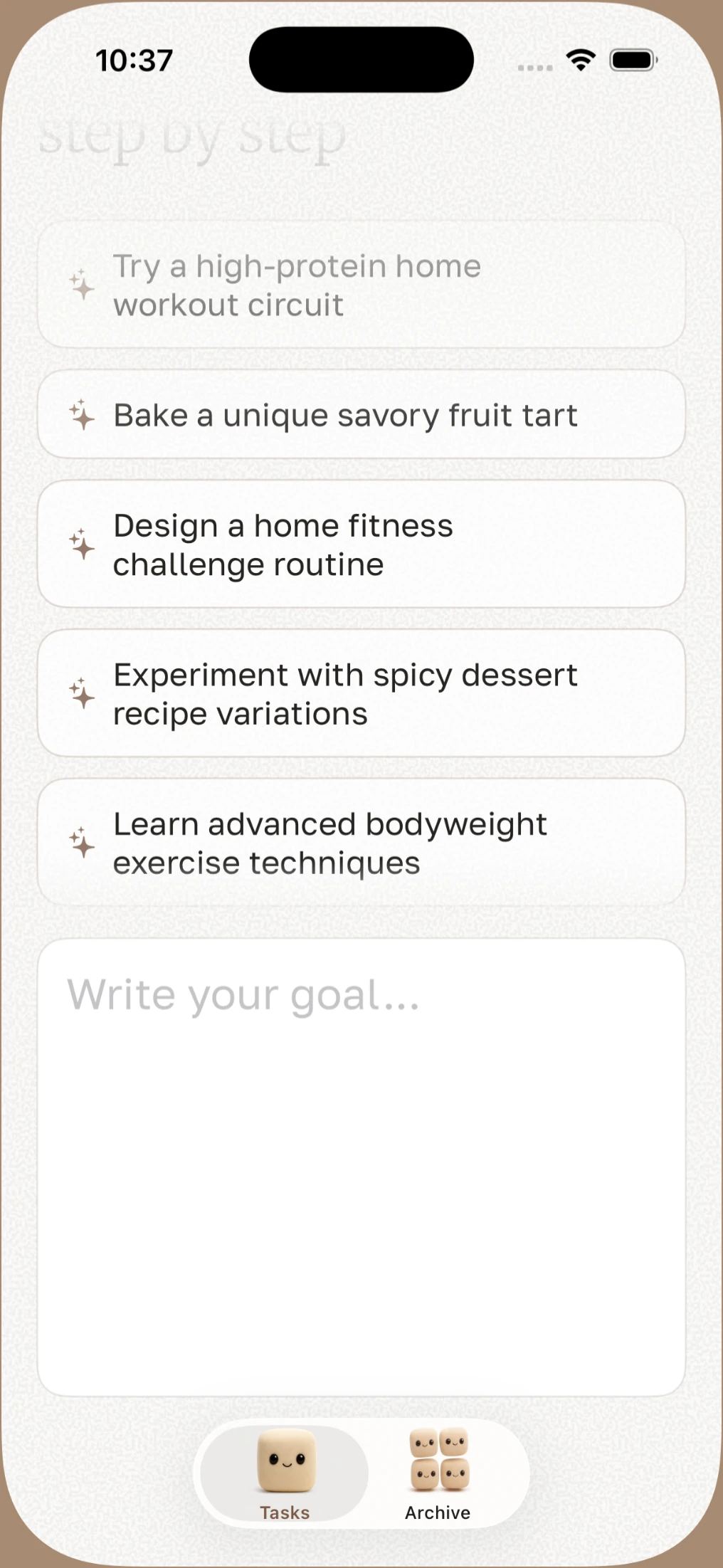
It starts noticing a pattern.
Once there's a little history, Claude looks at your last ten tasks and suggests three new starts unasked: two in the same vein, one deliberately unrelated so the list doesn't calcify around whatever you did most recently.
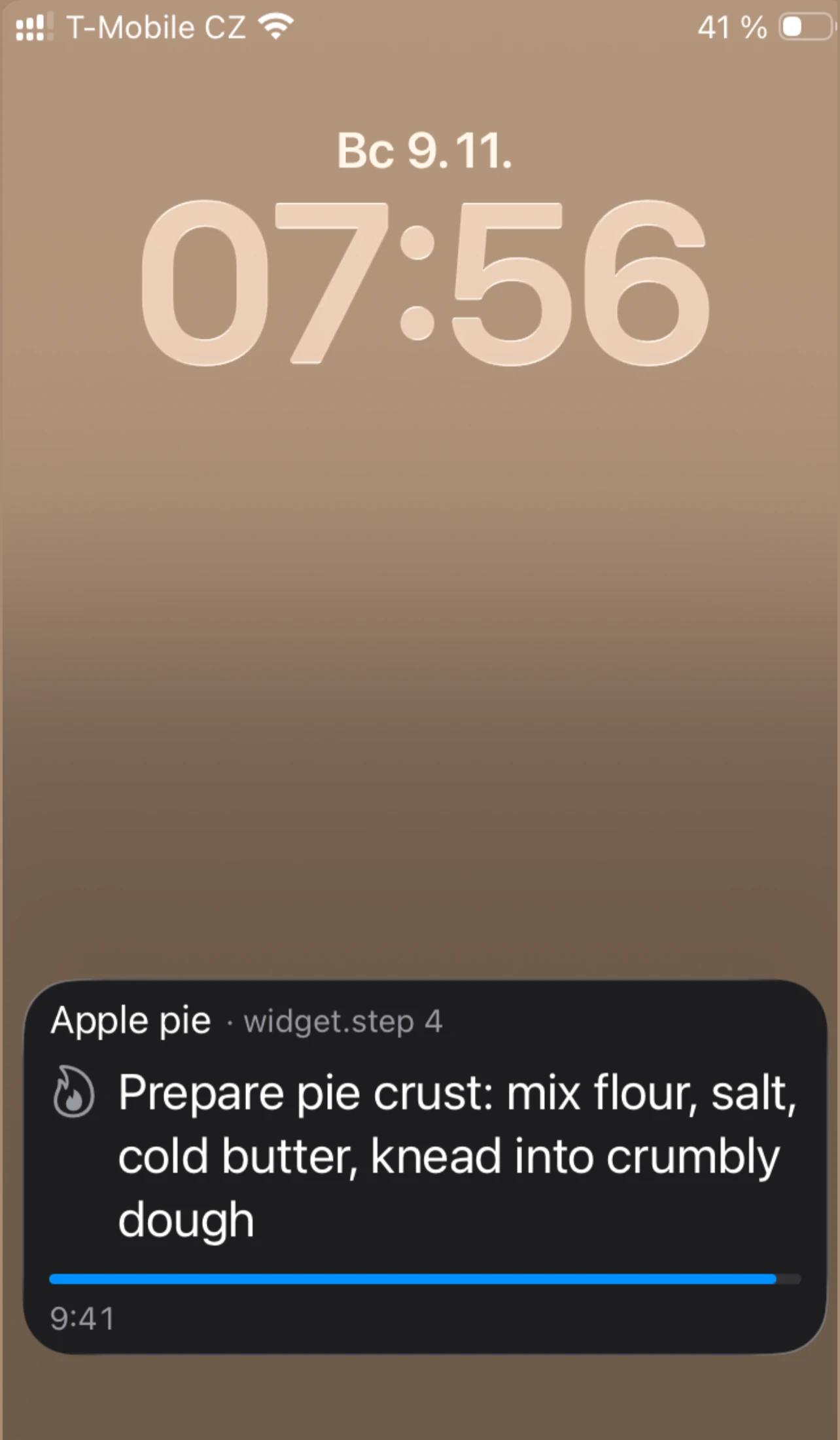
The step follows you to the Lock Screen.
It sits there as a Live Activity with its own timer, and Next and Previous are the same links the widget answers to. A notification would need re-firing for every step; this just updates in place.
One credit writes one plan.
Every time Claude breaks down a new task, that costs one credit. Reopening a plan you saved earlier does not, it's already sitting on the device.
The badge keeps score by itself. It turns brown at 5 credits or more, orange under 5, red at zero, the same orange sitting on the screenshot at the top of this page.
The rest of it.
What else is in there, in a few lines each.
AI task breakdown
Any task, in whatever language you typed it in, becomes a numbered sequence with time estimates.
Voice navigation
Say next or previous while your hands are busy with the actual work.
Built-in timers
Each step can carry its own timer, so pacing is not something you have to watch for.
Free archive
Save a breakdown once, reopen it as many times as you want, no credit spent.
iCloud sync
Tasks and history follow your account across iPhone and iPad.
Private by default
Only the task title ever reaches Claude. Everything else stays on the device and in your own iCloud.

Get your first plan free.
3 credits to try it today, one more tomorrow. Then a credit a day, or a pack of 10 or 50 that never expires. iPhone and iPad.