Know who can recite the poem before you call on anyone.
Memorizun Class is the teacher's side of Memorizun. You hand out a poem, each student opens a personal link and recites it to the app, and the journal fills itself in. Students don't need accounts.
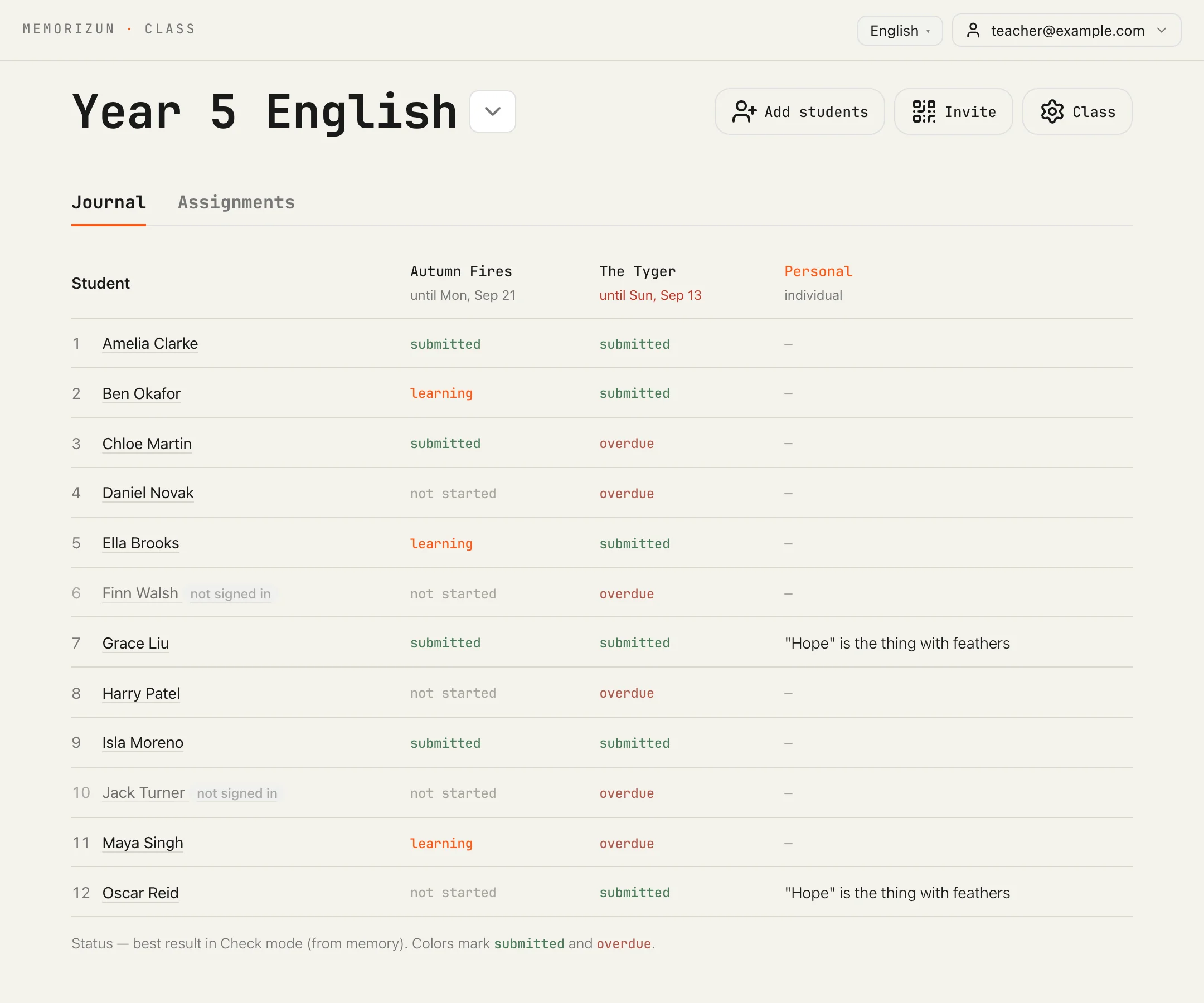
The cabinet speaks 13 languages. Pick one to see this journal in it.
Watch a journal cell change while a student recites.
One take on two screens. Oscar opens his link on a phone and says Autumn Fires from memory. On the teacher's laptop his cell turns from not started to learning, then to submitted.
Add your class as a list of names.
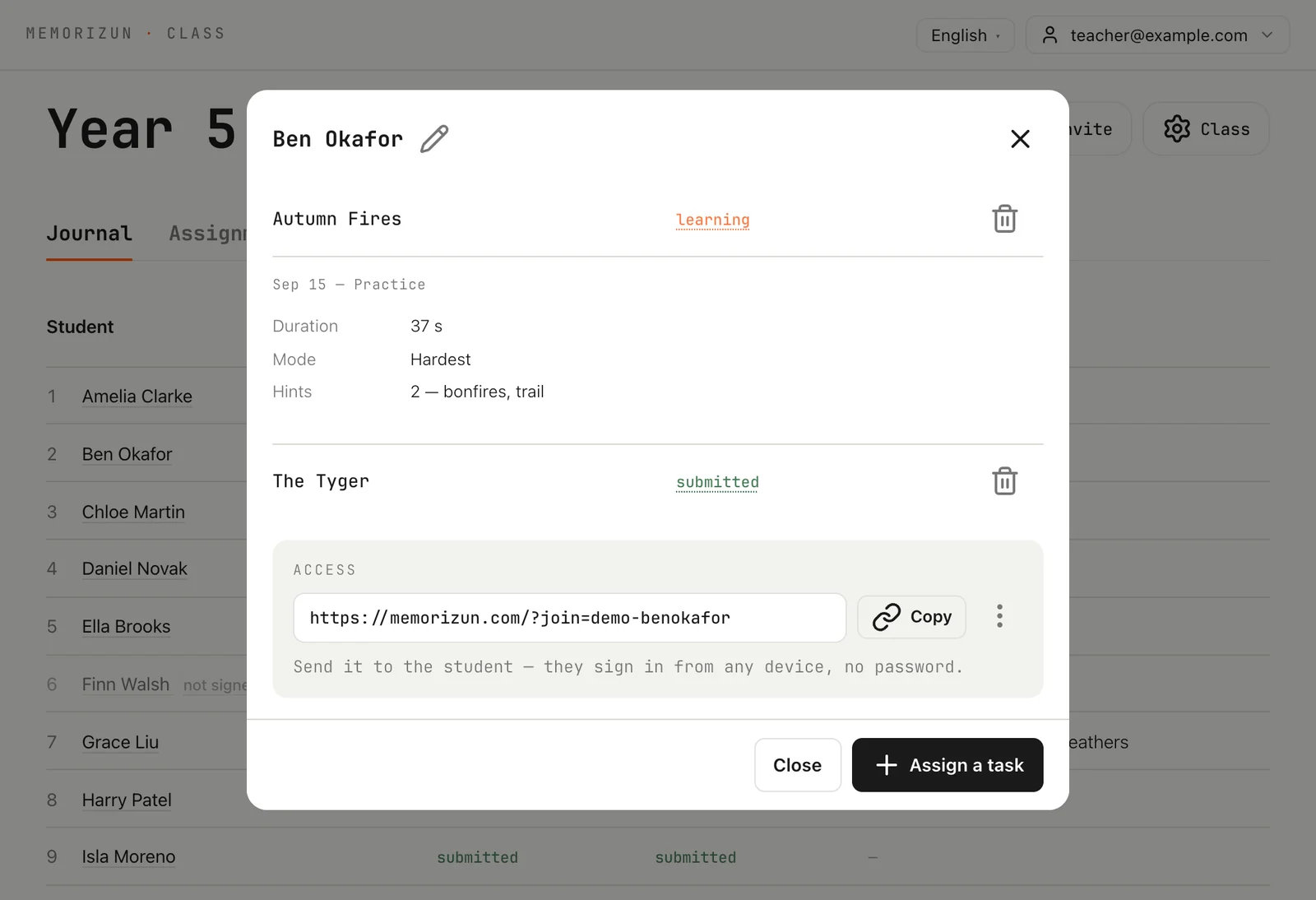
Type one name per line. Each student gets a personal link that signs them in on any device, without an email or a password. Copy all the links at once, or print a sheet of cards with a QR code for every student.
In Class a student is a name and a link, not an account. Children lose links, but the teacher keeps every link in the cabinet and can reset one that got passed around. Once a class has a list of names, the cabinet hides the shared class code, so nobody can join twice under a different name.
On a real sheet each code is that student's sign-in link. Here every code opens memorizun.com/class.
Nora Evans
Year 5 English
Scan the QR or open the link
memorizun.com/class
Leo Park
Year 5 English
Scan the QR or open the link
memorizun.com/class
Zara Ahmed
Year 5 English
Scan the QR or open the link
memorizun.com/class
Hand out a poem from the library, or paste your own text.
Paste a new text, take one you saved, or search 76,000 poems in the Russian, English, Czech and German libraries. Give it to the whole class or to a few students, with or without a deadline.
- Assignments for chosen students share one Personal column, so the journal stays readable.
- Untick active and the assignment waits in the bank. Students see it again when you tick it.
The deadline used to default to today, and by evening everything handed out that morning showed as overdue. Now it stays off until you tick it, and then it starts a week ahead.
Trust a submitted, because only a clean recitation earns it.
Nobody types anything into the journal. Every cell comes from what the student did in the app.
- not startedThe student hasn't tried the voice check yet.
- learningThey pressed Speak in Fill, Recall or Check, or got to the end after tapping a word to see it.
- submittedThey recited the whole text without revealing a single word.
- overdueThe deadline has passed and the text isn't submitted.
- not signed inAppears next to a name until the student opens their link for the first time.
A status never goes back, so a weaker attempt after a clean one changes nothing.
A text recited with peeks feels finished but hasn't been learned. The journal uses the app's own rule: it stays at learning until the student gets through without a peek.
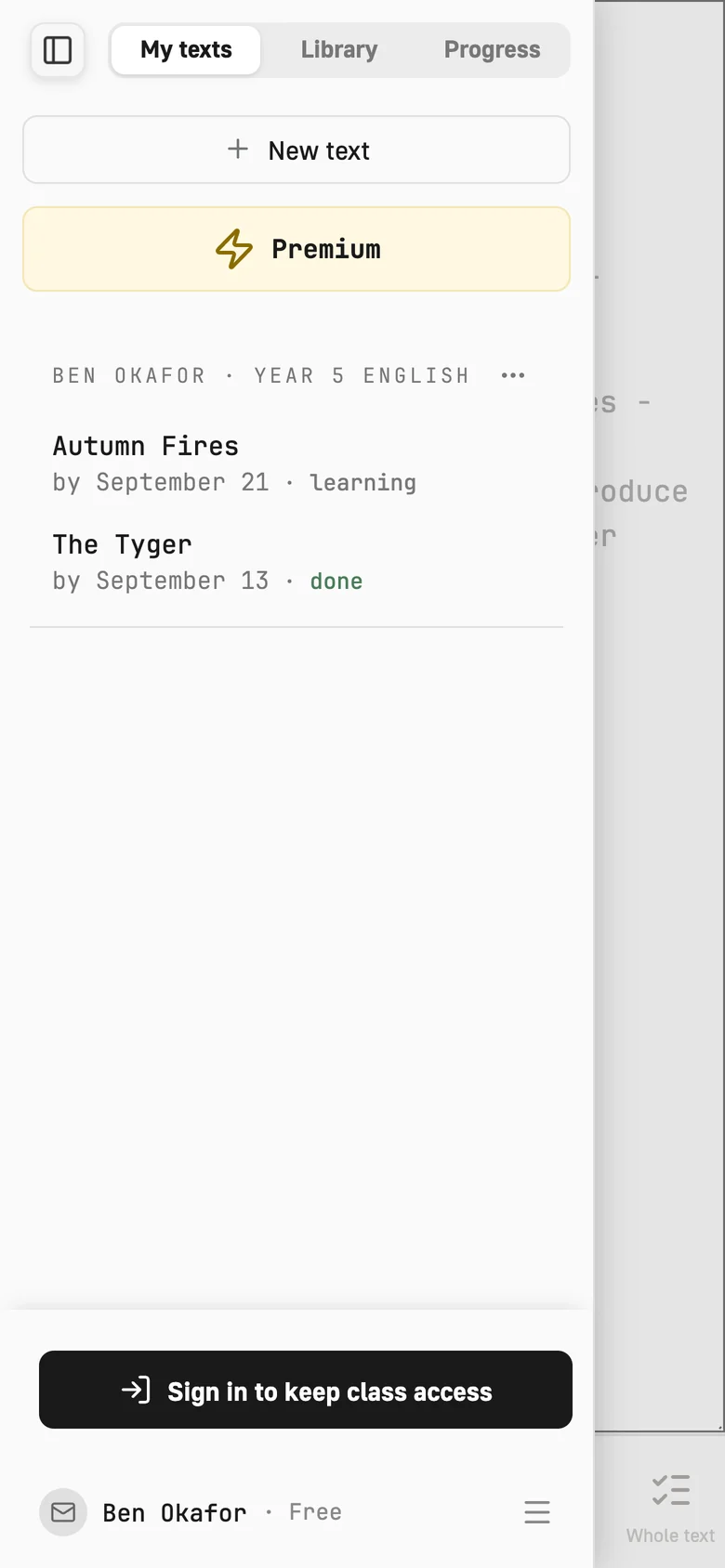
Let students start from a link on their own phone.
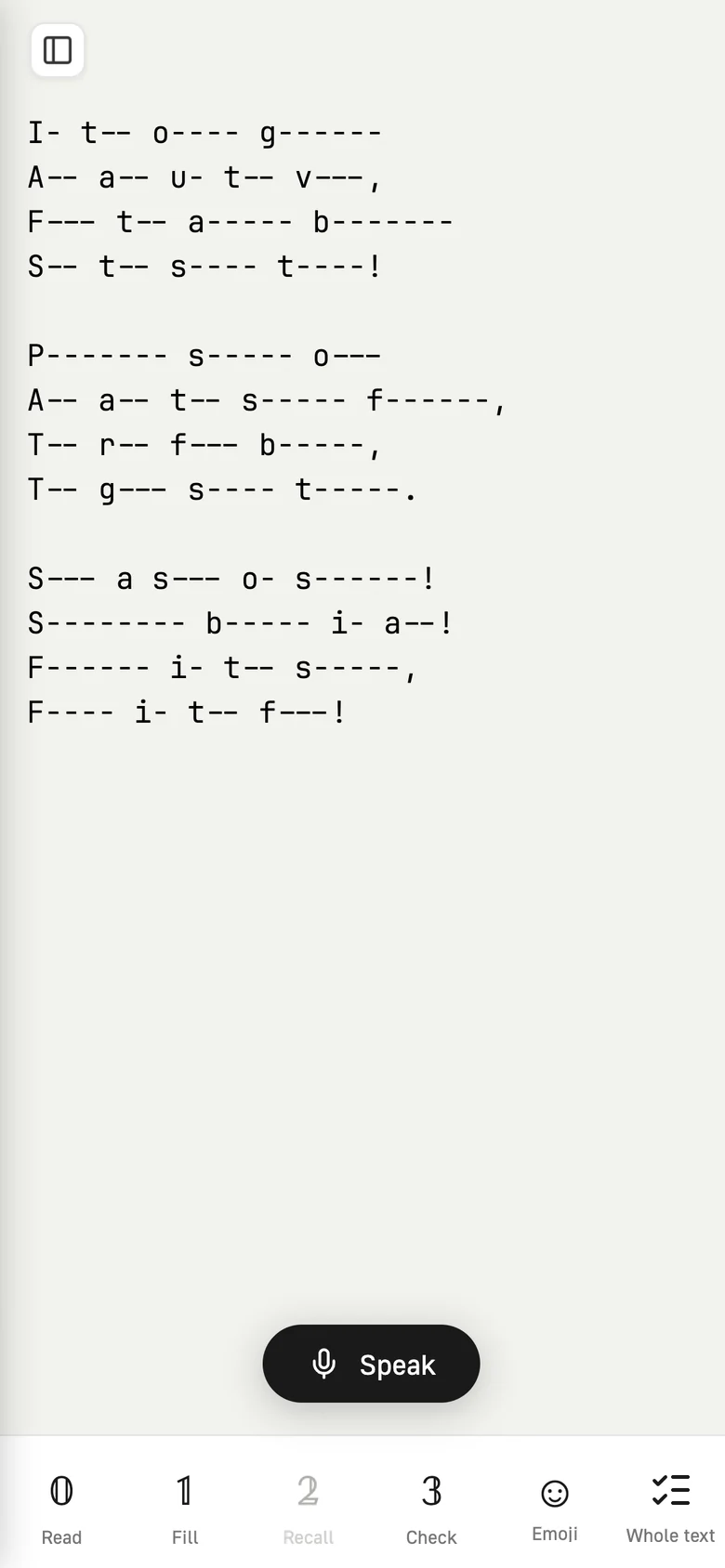
The link opens Memorizun with a Class group above the student's own texts, listing each assignment with its due date and status. The teacher's text opens read-only, and every pass works on it: Read, Fill, Recall, Check and Emoji.
Start with one class for free.
The free plan covers one class. The paid one lifts the limits on classes and students.
Free
$0
One class of up to 20 students, with the journal.
Teacher
$5.60/mo
Any number of classes and no limit on students. It's 299 ₽ or €5 in other currencies, paid by card.
Hand out your first poem this week.
Class runs on Memorizun, with the same passes, the same voice check and the same 76,000 poems.